Leakage Control
Profit leakage and working capital control for Dolibarr. Here is the money you are losing, here is the proof, here is who should act and by when, and here is what you have recovered.
Watch on YouTube ↗
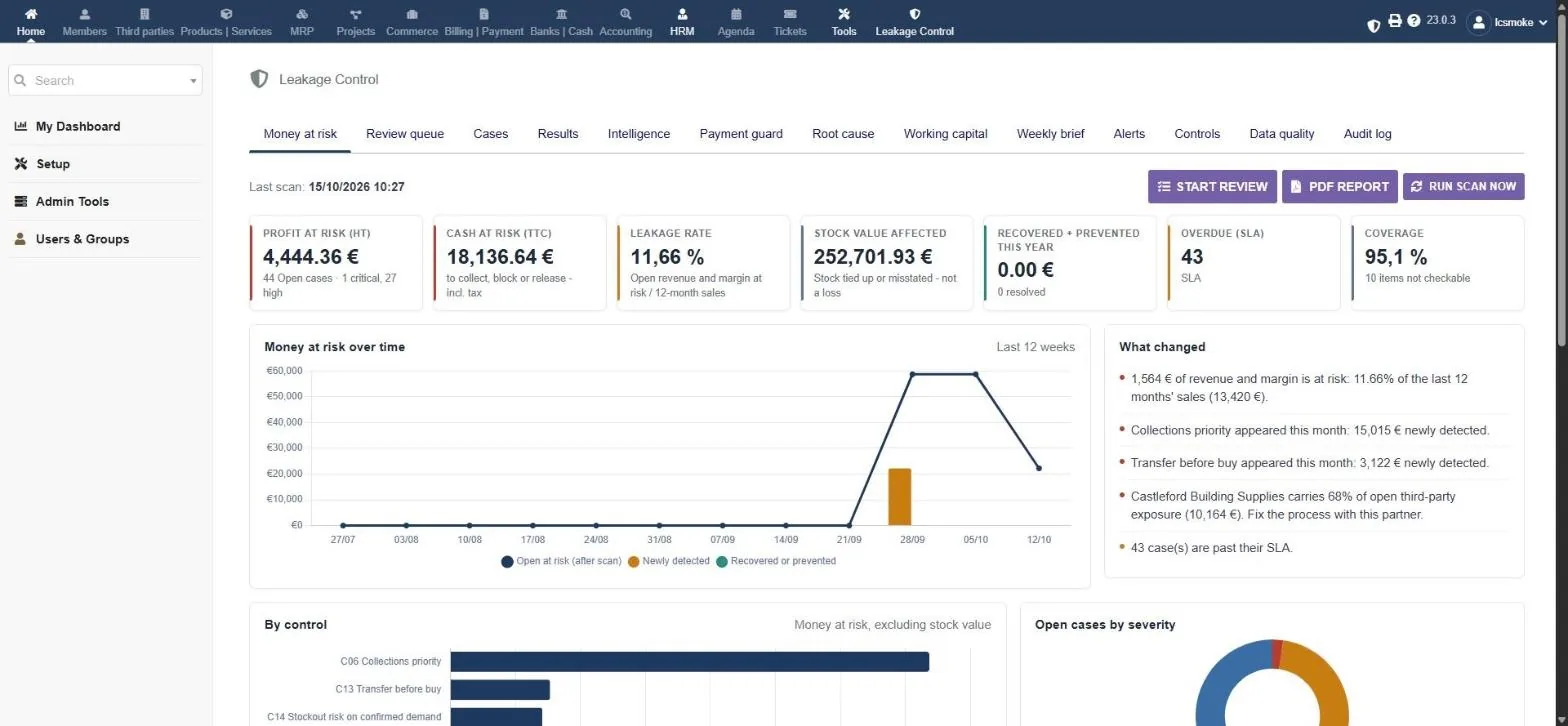
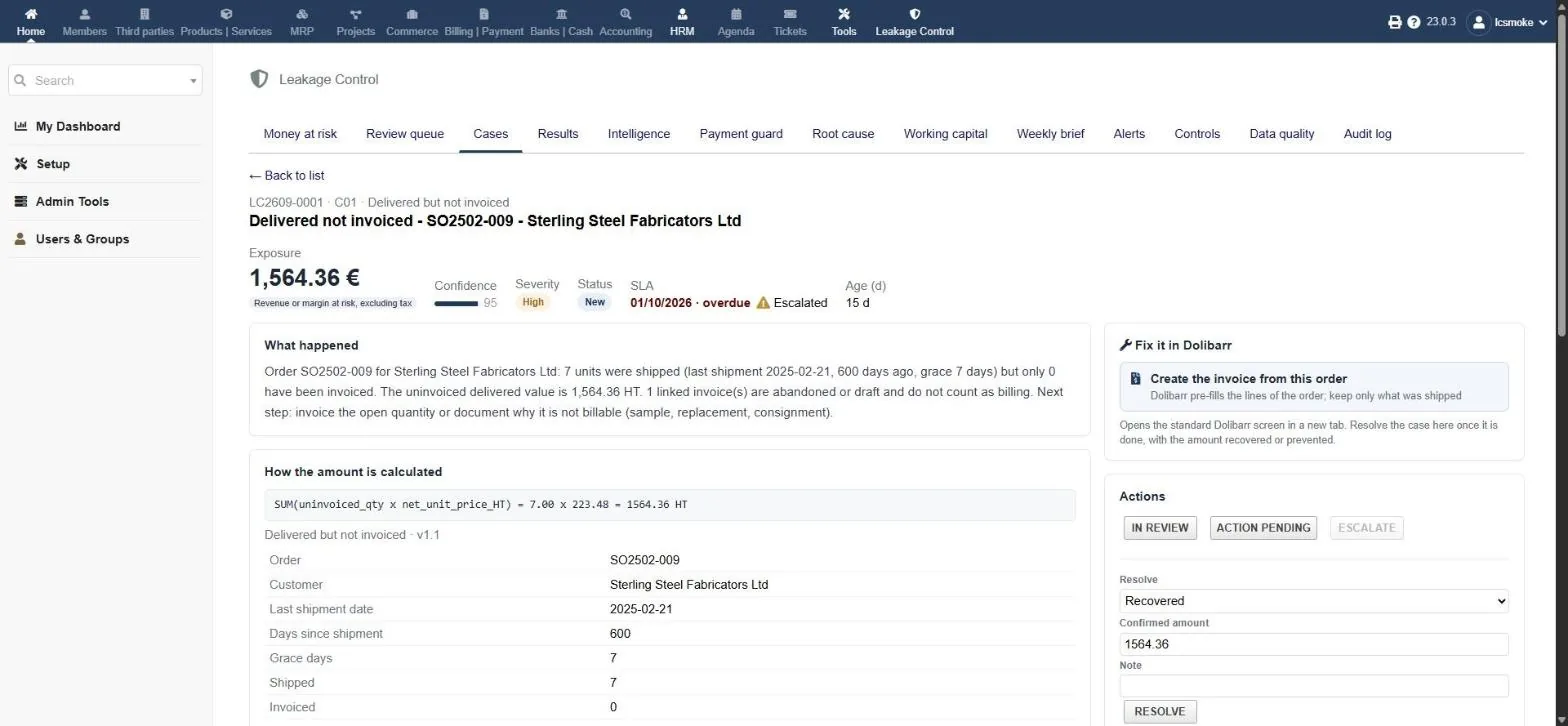
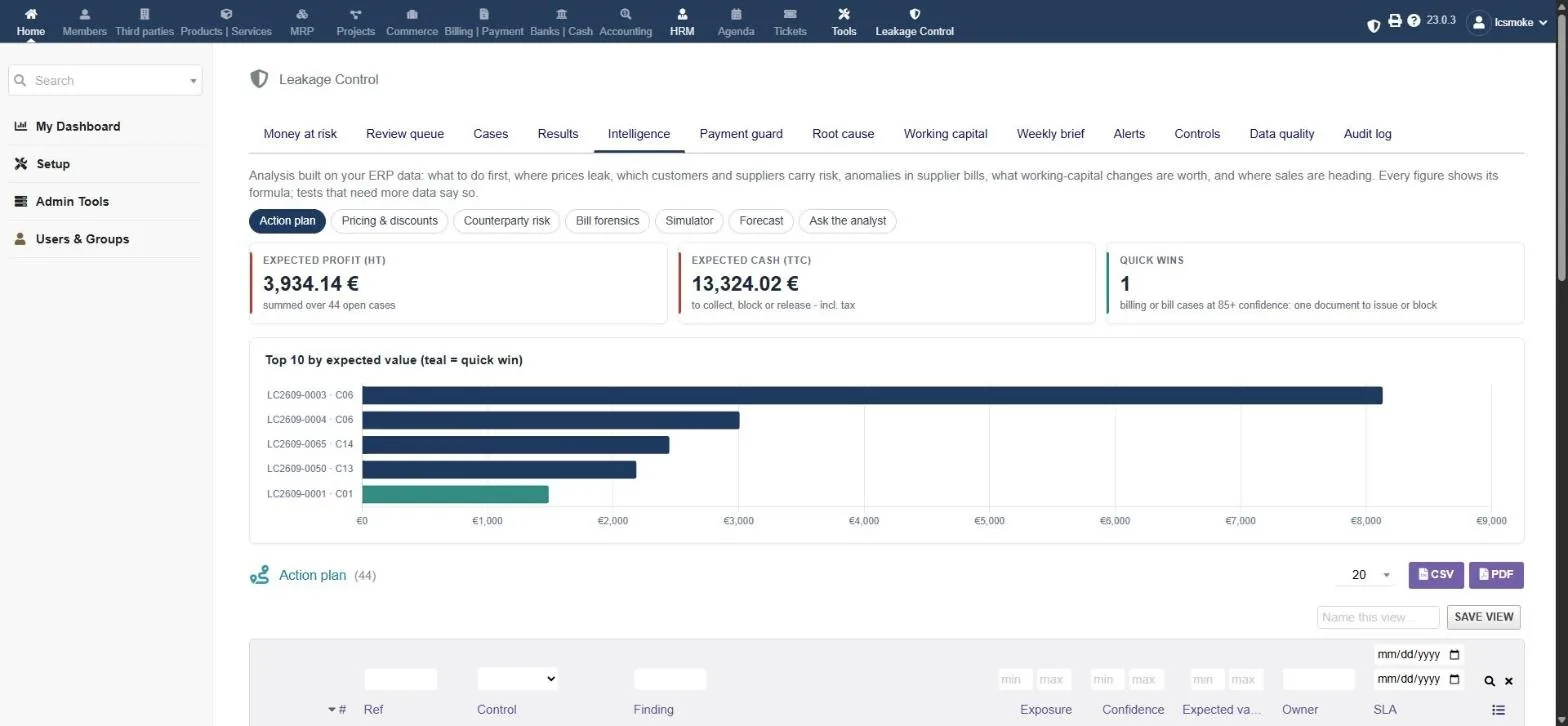
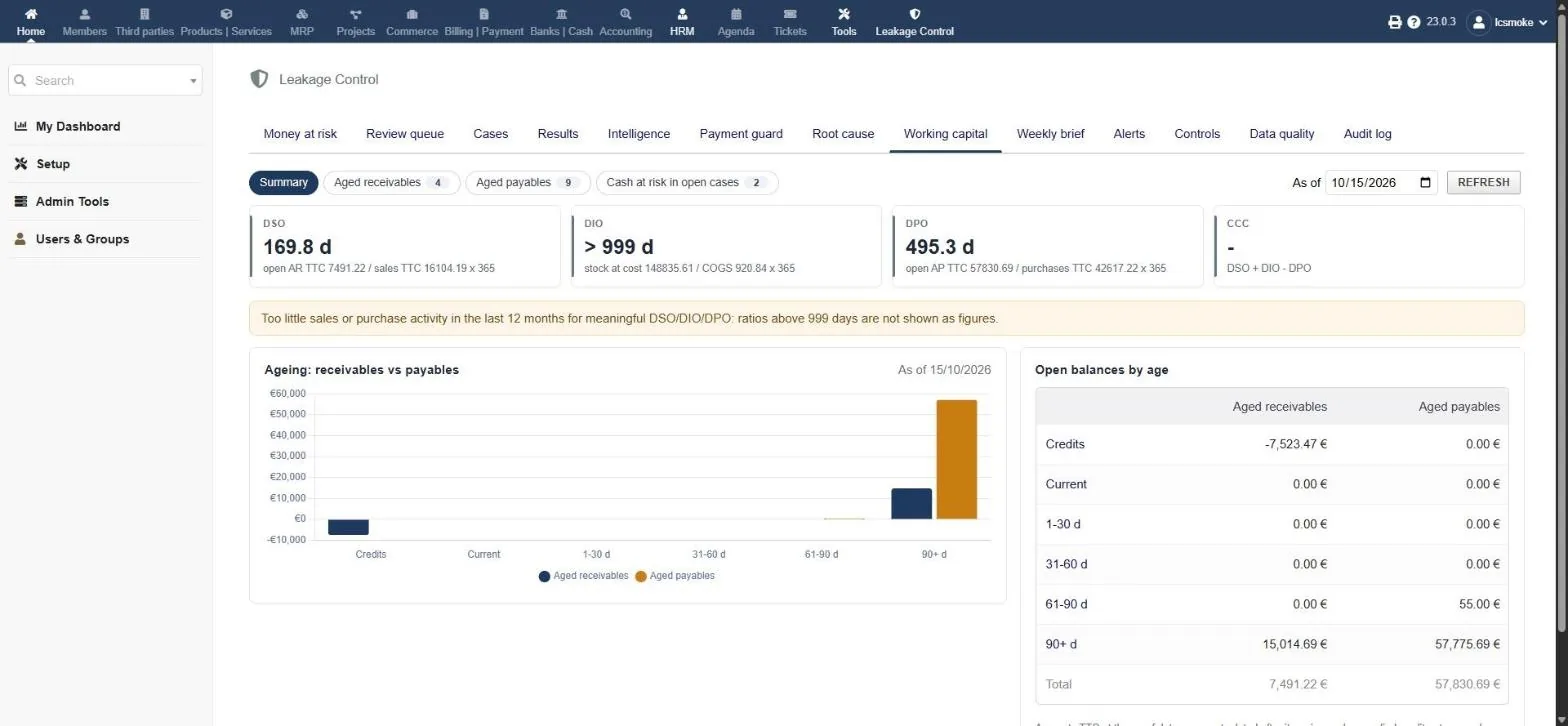
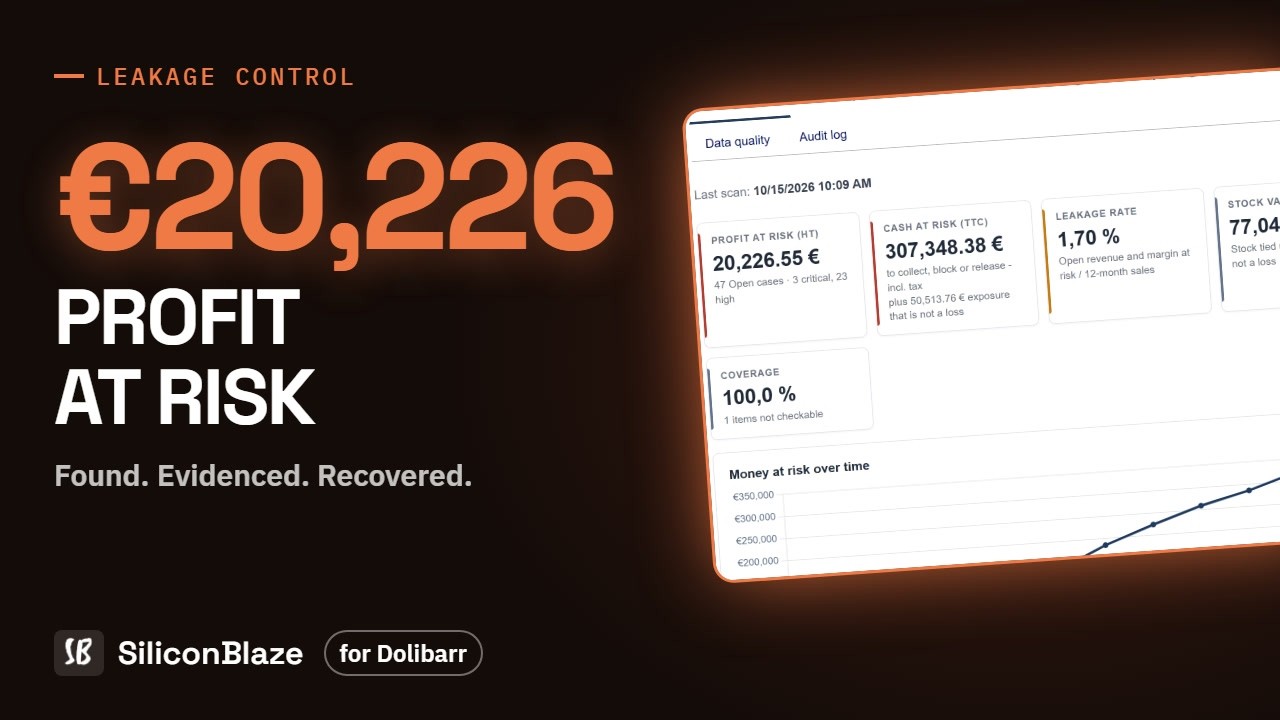
Money at risk, the review queue, a case with its evidence, the intelligence views and working capital.
Why businesses need it
Reports show totals. They don't show the order that was shipped and never billed, or the bill that was paid twice. Leaks like these usually surface at year end, if they surface at all.
Goods delivered but not invoiced, project time not re-billed, discounts beyond policy, and supplier cost increases never passed into your prices.
Duplicate bills under a slightly different reference, price and quantity mismatches against the purchase order, and freight surcharges nobody agreed to.
Overdue receivables nobody is chasing, suppliers paid early for no benefit, and excess or dormant stock tying up working capital.
How it works
It reads the documents already in Dolibarr and turns every leak into a case. No new data entry.
Checks that each Dolibarr module is on and the data is good enough. Missing data is a coverage gap, never read as zero.
Daily, on demand, or for one check. Each finding carries an amount, its basis, a confidence score and the evidence.
No duplicates on re-scan. A case closes itself when the problem is gone, reopens if it comes back, and stays muted once dismissed.
Each case gets a severity, an owner and a date to act by. A case past its date is escalated.
“Fix it in Dolibarr” opens the right screen. Resolve with the amount recovered or prevented, and track the results.
Features
Every list has filters on every column, saved views, totals by basis, CSV and PDF.
Profit at risk, cash at risk, the leakage rate, recovered and prevented this year, a 12-week trend and “What changed” in plain sentences.
One case at a time with keyboard shortcuts to acknowledge, resolve, dismiss or escalate. Works on a phone.
The formula with the real numbers, every input and evidence line, linked Dolibarr records, confidence, severity, SLA date and timeline.
A link to the exact standard screen, such as “Create the invoice from this order”, plus an agenda follow-up and a case PDF.
Captured (recovered + prevented), capture rate, precision, median days to close and on-time %, by check or by owner.
Action plan, pricing and discount waterfall, counterparty risk, bill forensics, a working-capital simulator and a sales forecast.
Before a supplier payment run: the bills due soon that carry an open duplicate, mismatch or surcharge case. Hold or OK to pay.
Leakage grouped by customer, supplier, check, owner, salesperson, product or month, with dismissal rates and drill-down.
DSO, DIO, DPO and the cash conversion cycle, plus receivables and payables ageing at any date, all with formulas.
One page for management: money at risk, recovered this week, what changed, overdue SLAs and the biggest open cases.
New, overdue and high-value cases plus the weekly brief, inside Dolibarr (shield icon in the top bar) and/or by e-mail.
Customer, invoice, order, supplier and product cards show that record's money at risk, its cases and what was recovered.
The 18 checks
Every check documents how the amount is calculated and the safeguards against false alarms. Each can be switched on or off and tuned per business type: wholesale, services or light manufacturing.
| Code | Check | Basis |
|---|---|---|
| C01 | Delivered but not invoiced | Profit |
| C02 | Possible duplicate supplier bill | Cash |
| C03 | Sale below minimum margin | Profit |
| C04 | PO / receipt / bill mismatch | Profit |
| C05 | Unbilled project time and expenses | Profit |
| C06 | Collections priority | Cash |
| C07 | Cost increase not passed into prices | Profit |
| C08 | Supplier paid early without benefit | Cash cost |
| C09 | Unusual credit notes | Profit |
| Code | Check | Basis |
|---|---|---|
| C10 | Customer credit exposure | Exposure |
| C11 | Unexpected freight and surcharges | Profit |
| C12 | Excess and dormant stock | Stock value |
| C13 | Transfer before buy | Cash |
| C14 | Stockout risk on confirmed demand | Profit |
| C15 | Stock valuation errors | Stock value |
| C16 | Supplier lead time getting worse | Exposure |
| C17 | Supplier billing spike | Exposure |
| C18 | Discount beyond policy | Profit |
Adding profit to cash or to stock value gives a false total. Every page, PDF, alert and e-mail shows the bases side by side.
Margin or revenue you lose: not invoiced, below margin, discount beyond policy, stockout margin.
Cash to collect, block or release: overdue receivables, duplicate bills, transfer before buy.
A risk to watch, not a loss: credit above limit, supplier lead time, billing spike.
Capital tied up or misstated: excess or dormant stock, stock valued at zero.
Screenshots
Click any image to enlarge.
Built for your team
Everyone who touches money in Dolibarr gets their own queue, and management gets one page.
Owns the money-at-risk view, the results, the weekly brief and the root-cause analysis.
Works unbilled deliveries, collections priority, unusual credit notes and customer credit exposure.
Blocks duplicate bills, PO and receipt mismatches and surcharges, and uses Payment guard before each payment run.
Sees sales below margin, discounts beyond policy and cost increases not passed into prices, by salesperson.
Acts on excess and dormant stock, transfer-before-buy, stockout risk and worsening supplier lead times.
Reads one weekly brief: what is at risk, what was recovered and where the business leaks most.
Trust & security
Built for finance teams, who need every figure explained before they act on it.
It never creates, changes or deletes invoices, orders, payments or stock. The only write into Dolibarr is an agenda event, when a user asks for one.
All analysis runs locally. Nothing leaves the server unless the optional AI assistant is switched on.
The optional assistant uses your own Claude API key and sees only the case evidence. Any answer with a figure not in the evidence is rejected. It never sends messages.
Every scan, case action, export, alert and setting change goes to an audit log that cannot be edited.
View, work cases, configure and run scans, and export. An automated test confirms a read-only user can't change, resolve, export or send anything.
51 automated tests with 1,786 assertions, independent SQL recalculation on three databases, and receivables and payables tied out to the ledger.
The setup wizard takes you from install to your first scan in four steps.
Get the .zip file from DoliStore.
Go to Home → Setup → Modules/Applications, click “Deploy/install an external module” and upload the zip.
Turn on Leakage Control. The Invoices module is required. Checks that use Orders, Shipments, Suppliers, Stock, Projects or Expense reports run when those modules are on.
View (read only), Work cases, Configure and run scans, and Export. Give each team only what it needs.
Pick your business type, set the minimum amount worth reporting, confirm which checks your data supports, and run the first scan.
Open Money at risk, click Start review and work through the cases. Use “Fix it in Dolibarr” to act, then resolve with the amount recovered.
Enable the daily scan, SLA escalation and alert jobs, and choose who receives new, overdue and high-value cases and the weekly brief.
No. It reads documents only. It writes to its own tables, plus an agenda event when a user asks for one. Disabling the module keeps all its data.
Every case shows the formula with the real numbers, every input, the evidence lines and links to the Dolibarr records. A confidence score drops when data had to be estimated, and missing data is excluded rather than guessed.
No. Findings below your minimum amount are recorded but hidden (no-noise mode). Severity scales with the amount and the confidence, so critical means critical.
The next scan sees it's gone and closes the case automatically, with an audit entry. If the problem comes back, the case reopens. A case dismissed with a reason stays muted.
They are different kinds of money. Adding margin at risk to cash to collect or to stock value would give a false total, so the module never adds them up.
No. All checks are deterministic and run on your server. The AI assistant is optional, off by default, uses your own key and never produces an amount.
No. Alerts arrive inside Dolibarr through a shield icon in the top bar. E-mail is optional and goes as one message per person.
Yes. Cases, settings and alerts are kept per entity.
Dolibarr 18 or later. Tested on 21.0.2 and 23.0.3, with PHP 8.0+ and MySQL or MariaDB.
Needs only the Invoices module. Each additional module you use switches on more checks.
DoliStore listing and pricing will be published here at launch. Questions before then? Write to us.